
The Costly Truth Behind Non-Converting Google Ads Clicks
✨ Key Points
- You’re not crazy—your ads can be solid, but fake clicks may be quietly draining your budget behind the scenes.
- Not every click is real; bots, competitors, and click farms often inflate traffic without any intent to buy.
- Click fraud is a growing problem, and even a small amount can wreck your conversions and raise costs fast.
You’ve done everything right. Your ad copy is sharp.
Your keywords are dialed in.
Your landing page looks great on mobile. You’ve even tested three different calls to action.
But every time you check your Google Ads dashboard, the story is the same: clicks keep coming in, yet conversions stay flat, and it feels like your Google Ads campaigns are burning budget.
Your cost per acquisition keeps climbing, and you have no idea why, your Google Ads aren’t converting.
If this sounds familiar, you’re not alone.
Thousands of business owners and marketers face this exact frustration every single day. And here’s the part that nobody tells you: the problem might not be your strategy at all.
If your Google Ads aren’t converting, it might be because a chunk of your clicks are coming from sources that were never going to convert in the first place.
Let’s dig into what’s really happening behind those disappointing numbers and what you can do about it.
The Click Looks Real, But It Isn’t
Every time someone clicks on your Google ad, you pay, whether it converts or not, your Google Ads campaigns are burning budget.
That’s how pay per click works, and most of us accept it as the cost of doing business.
What most advertisers don’t realize is that not every click comes from a real person who is genuinely interested in their product.
Some of those clicks come from automated bots designed to drain advertising budgets.
Others come from competitors who deliberately click your ads to exhaust your daily spend before real customers ever see them.
And some come from click farms, where workers are paid to click on ads all day long with zero intention of buying anything, another reason Google Ads campaigns are burning budget.
This is called click fraud, and it’s far more common than most people think.
Research from Juniper estimates that ad fraud will cost advertisers over $172 billion globally by 2028.
For small and medium businesses running Google Ads on tight budgets, even a small percentage of fake clicks can make the difference between a profitable campaign and one that bleeds money, where Google Ads aren’t converting.
Why Your Dashboard Won’t Show You the Problem
Here’s what makes this so tricky.
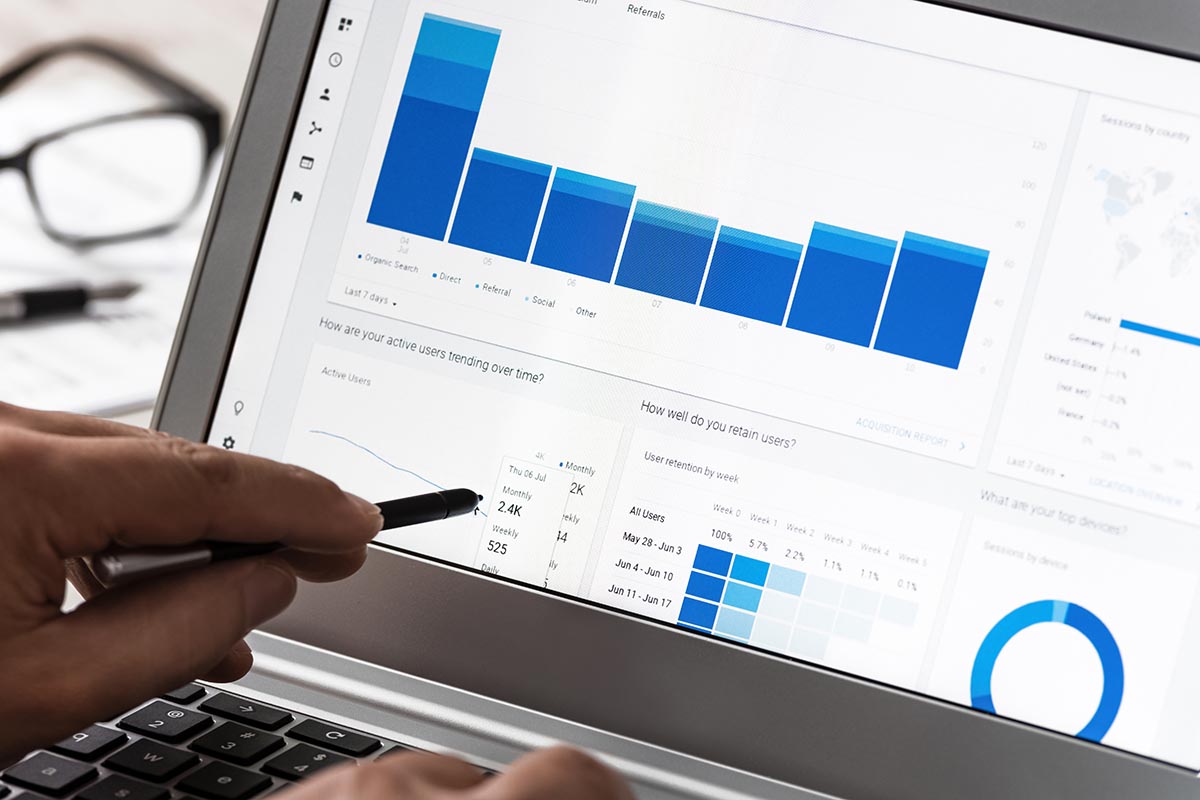
When you look at your Google Ads reports, fraudulent clicks look exactly like real ones.
They show up as a click, they register a visit to your landing page, and they inflate your click through rate.
On the surface, everything looks normal. Your campaign seems to be getting traffic.
But dig a little deeper and the cracks start to show.
Your bounce rate is unusually high. Session durations are suspiciously short.
Visitors arrive and leave within seconds without scrolling, without clicking, and without converting.
You might see traffic spikes at odd hours or from geographic regions that don’t match your target audience.
The worst part is what happens next, your Google Ads campaigns are burning budget, and Google’s automated bidding algorithms are learning from every click.
When a large portion of your clicks are fake, the algorithm starts optimizing toward the wrong audience.
It thinks those short, bouncy visits represent your typical user.
So it goes out and finds more of them.
It’s a vicious cycle that pushes your campaign further away from real customers with every passing day.
The Signs You Should Watch For
You don’t need to be a data scientist to spot the warning signs.
If you notice any of the following patterns in your campaigns, fake clicks could be eating into your budget.
First, look at your conversion rate over time.
If your click volume is steady or growing but conversions are declining, something is off.
Genuine traffic doesn’t behave that way unless something fundamental has changed on your landing page or in your offer.
Second, check your bounce rate by traffic source.
If paid search has a dramatically higher bounce rate than organic or direct traffic, that’s a red flag.
Real visitors who clicked on a relevant ad and landed on a matching page should not be bouncing at 80 or 90 percent.
Third, examine the timing and geography of your clicks.
Are you getting clusters of clicks at 3 AM from countries you don’t serve?
Are certain campaigns burning through their daily budget much faster than usual?
These patterns are classic indicators of bot or click farm activity.
Finally, pay attention to repeat visitors.
If the same IP addresses or device fingerprints keep showing up in your click data without ever converting, you’re likely dealing with fraudulent traffic.
What You Can Do About It
The good news is that you’re not powerless here.
There are concrete steps you can take to protect your campaigns and make sure your ad spend actually reaches real people.
Start by reviewing your IP exclusion list in Google Ads.
If you’ve identified suspicious IP addresses through your analytics, you can block them manually.
This won’t catch everything, but it’s a good first line of defense.
Next, tighten your geographic targeting.
If your business only serves customers in specific regions, make sure your ads aren’t showing to users outside those areas, or your Google Ads campaigns will keep burning budget.
Broad targeting might seem like it gives you more reach, but it also opens the door to low quality and fraudulent traffic.
Set up dayparting to run your ads only during the hours when your real customers are active.
If your analytics show that most of your legitimate conversions happen between 8 AM and 8 PM, there’s little reason to keep your campaigns running through the night when bot activity tends to spike.
But for serious protection, manual adjustments will only get you so far.
The most effective approach is to use dedicated fraud detection software that monitors your traffic in real time and blocks invalid clicks before they hit your budget.
These tools analyse every click using machine learning, checking device fingerprints, behavioural signals, IP reputation, and dozens of other data points to separate real visitors from fake ones.
If you want to go deeper into fighting back against fake clicks, it’s worth exploring platforms that provide full visibility across your campaigns and can act on threats automatically.
The difference between running unprotected campaigns and protected ones can be dramatic, with some businesses recovering 20 to 30 percent of their ad spend once fraudulent traffic is removed.
It’s Not Just About Saving Money

Eliminating fake clicks does more than reduce waste, it helps fix the reason your Google Ads aren’t converting by improving the quality of your campaign data.
And when your data is clean, everything else starts working better.
Your automated bidding strategies learn from real interactions instead of noise.
Your A/B tests produce reliable results because the traffic behind them is genuine.
Your retargeting audiences stop filling up with bots and start filling up with actual prospects.
Your conversion rates go up because the people clicking your ads are the people your campaign was built to reach.
For small business owners who rely on Google Ads to drive leads and sales, this is a game changer.
You stop second guessing your landing pages, your copy, and your offers.
You can finally trust the data and make decisions based on what’s actually happening rather than a distorted picture created by fake traffic.
Stop Blaming Your Strategy and Start Checking Your Traffic
If your Google Ads campaigns aren’t delivering the results you expect, resist the urge to tear everything apart and start over.
Before you rewrite your ad copy for the fifth time or redesign your landing page again, take a hard look at the quality of the traffic you’re paying for.
Click fraud is one of those problems that hides in plain sight.
It disguises itself as a strategy problem, a landing page problem, or a targeting problem.
But once you strip away the fake clicks and see what your campaigns look like with only real human traffic, the picture often changes completely.
Your ads might be working better than you think.
You just need to make sure the right people are seeing them.