What is new on WordPress in 2026?
✨Key Points
The web is evolving faster than ever, and the way businesses connect with users is constantly changing.
Today, WordPress continues to dominate as a leading CMS, powering a large share of websites and adapting to new demands in SEO, design, performance, and AI-driven experiences.
Search engines are also evolving. With AI-powered results and smarter algorithms, websites now need to be more structured, faster, and more helpful than ever before.
That is why staying updated with WordPress trends is no longer optional, especially for businesses and SEO teams that want to remain competitive.
So, what are the key WordPress trends and updates shaping 2026?
Let’s take a closer look.
Gutenberg Updates: Blocks and Customizable Options
With the evolution of the block-based Gutenberg editor, WordPress web designers haves become much more flexible and user-friendly.
Instead of relying on fixed layouts, you can now build pages using customizable blocks.
This makes it easier to design content, structure pages, and create a better user experience without needing advanced technical skills.
Today, WordPress themes act more like frameworks, giving you the freedom to build different types of websites using blocks for text, images, layouts, and interactive elements.
Recent updates have continued to expand these capabilities, offering:
- more customizable blocks;
- improved design flexibility;
- easier content structuring;
- better performance and editing experience;
For businesses and content creators, this means faster content creation, more control over design, and the ability to build pages that are both user-friendly and SEO-ready.
What’s New in WordPress in 2026: Improved UI and Real Workflow Benefits
WordPress updates in 2026 are not just about making the interface look better.
They are focused on making content creation faster, clearer, and more efficient for real workflows.
The latest Gutenberg improvements bring:
- better color contrast controls for accessibility and brand consistency;
- updated icons for a cleaner and more intuitive interface;
- the ability to format multiple blocks at once, saving time on editing;
- device previews to check mobile, tablet, and desktop layouts instantly;
- improved drag-and-drop functionality for easier page building;
But the real value shows up in how this affects your daily work.
For example:
- A marketer can build a landing page and preview how it looks on mobile before publishing, reducing errors and improving conversions.
- A content creator can adjust multiple sections at once instead of editing block by block, cutting editing time significantly.
- A business owner can update pages without relying on a developer, which speeds up campaigns and content updates.
These updates are designed to reduce friction between idea and execution.
For businesses, this means:
- faster content production;
- fewer technical delays;
- more control over design and user experience;
- better performance across devices;
In simple terms, WordPress in 2026 is not just easier to use.
It is built to help you move faster and turn content into results more efficiently.
Block Directory Integration
WordPress continues to simplify how you build and customize pages with the block directory integration.
The block directory is a collection of lightweight plugins that add a single, specific block, instead of installing a full plugin with multiple features.
With the latest updates, you can now:
- search for new blocks directly inside the editor;
- install them without leaving your page or post;
- start using them instantly without going through the usual plugin setup;
This removes extra steps and makes the content creation process much faster.
In real use, this means:
- a marketer can quickly add a pricing table, CTA section, or testimonial block without developer help;
- a content creator can enhance a blog post with new layouts or elements in seconds;
- a business owner can test new page sections without committing to large plugins;
For businesses, this leads to:
- faster page building and updates;
- more flexibility in design;
- less reliance on developers;
- a cleaner website with fewer heavy plugins;
Overall, block directory integration helps turn ideas into live content faster, which is essential for staying competitive and responsive in today’s fast-moving digital environment.
Gutenberg Global Styles
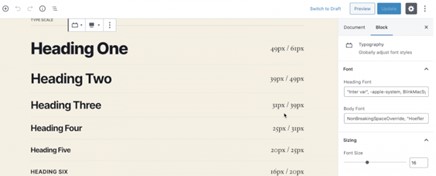
A new global style feature is about to come within the new WordPress 5.6 later on this year.
Global styles will allow you to create themes and several default values, mostly using a JSON file. In other words, WordPress users will be able to overwrite those styles through an interface in the admin section.
What’s New in WordPress in 2026: Advanced Image Editing
WordPress has continued to improve its image editing features, making it easier to manage visuals directly inside the editor without relying on external tools.
You can now edit images within the Image Block, which helps speed up content creation and keeps your workflow more efficient.
With the latest updates, you can:
- crop, rotate, and resize images
- adjust positioning within your content
- zoom and frame visuals more precisely
- make quick edits without leaving the editor
These features are especially useful for bloggers, marketers, and businesses that regularly publish visual content.
In real use, this means:
- faster content creation without switching between tools
- easier alignment of images with your layout
- more control over how visuals support your message
WordPress also keeps track of your edits by saving a new version of the image in the Media Library while preserving the original file and its metadata (such as title, description, and alt text). This ensures you always have access to both versions.
For businesses, this leads to:
- quicker publishing workflows
- more consistent visual content
- better integration between design and content
Overall, these improvements make it easier to create high-quality, optimized visuals that support both user experience and SEO.
New Auto-Updates for Plugins and Themes
Security and performance are more important than ever, especially as websites rely on multiple plugins and themes.
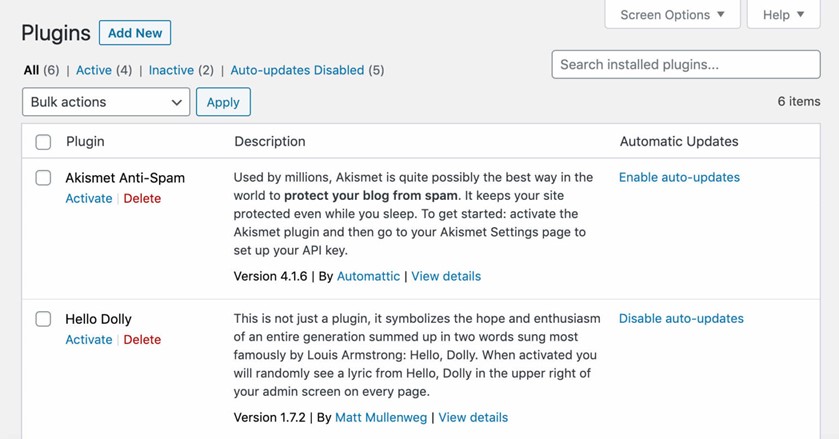
WordPress now makes it easier to manage updates by allowing users to control automatic updates for plugins and themes directly from the dashboard.
With just a few clicks, you can:
- enable or disable auto-updates for individual plugins or themes;
- keep your website updated without manual checks;
- reduce the risk of outdated software vulnerabilities;
This is especially important today, as security threats, compatibility issues, and performance problems often come from outdated components.
In real use, this means:
- fewer maintenance tasks and less manual work;
- faster access to new features and improvements;
- reduced security risks from outdated plugins;
- a more stable and reliable website over time;
For businesses, this leads to:
- better website security;
- less downtime;
- smoother performance;
- more time to focus on content and growth instead of technical updates;
Overall, auto-updates help keep your WordPress website secure, up-to-date, and running efficiently with minimal effort
What’s New in WordPress in 2026: Artificial Intelligence Integration
Artificial Intelligence is now a core part of how modern websites are built, optimized, and scaled.
WordPress has evolved with this shift by supporting a growing ecosystem of AI-powered plugins that help improve content, user experience, and performance.
Instead of just publishing content, businesses can now use AI to better understand what users want, create more relevant pages, and optimize content for both search engines and AI-driven platforms.
Some notable AI tools in the WordPress ecosystem include:
- WordLift. This plugin uses AI to understand and structure your content based on how search engines interpret meaning. It helps enhance your articles with relevant facts, internal links, images, and structured data, making content more engaging and easier for search engines and AI systems to understand.
- Breinify. This tool focuses on user behavior. It analyzes visitor data to understand how people interact with your site, what they are interested in, and how they move through your content. This allows businesses to personalize experiences and deliver more relevant content or offers.
In real use, AI in WordPress helps:
- create more targeted and useful content
- improve personalization based on user behavior
- enhance SEO with smarter content structuring
- save time on research and content optimization
For businesses, this leads to:
- better audience understanding
- higher engagement
- more relevant user experiences
- improved conversion potential
Overall, AI is transforming WordPress from a content management system into a smarter platform that helps businesses make better decisions and create more effective digital experiences.
What’s New in WordPress: Automatic XML Sitemaps
WordPress now includes automatic XML sitemaps, which makes it easier for search engines to find and understand your content.
This means you don’t need to set up a sitemap manually.
WordPress does it for you in the background, helping Google discover your pages and blog posts faster.
For readers and website owners, this brings real benefits:
- your content gets indexed more quickly;
- new pages have a better chance of appearing in search results;
- your site structure becomes clearer to search engines;
- less technical setup is required;
If you are already using plugins like Yoast SEO, a sitemap is usually included by default.
Just make sure you are not running multiple sitemaps at the same time, as that can create confusion.
Overall, automatic XML sitemaps help your content get noticed sooner, which supports better visibility and traffic without extra effort.
WordPress continues to add features like this to make content creation, optimization, and growth easier for users.