
How To Avoid Desk-Based Back Pain
✨ Key Points
- Desk-based back pain often comes from poor posture, not just long hours — small setup changes can make a big difference.
- Knowing how chiropractors help can prevent minor desk pain from turning into long-term spinal issues.
- Early care matters — addressing posture issues now may help you avoid serious treatments later, including surgical options like spinal cages.
If you spend most of your day working at a desk, you’ve probably felt it — stiffness in your lower back, tight shoulders, or wrist pain that creeps in by the afternoon.
Desk-based work might seem harmless, but poor posture over time can quietly put real strain on your spine.
An unsupportive chair, leaning forward toward a screen, or keeping your hands at the wrong angle can gradually affect spinal alignment.
Left unaddressed, these small daily habits can turn into chronic pain that interferes with work, sleep, and overall quality of life.
This is where understanding how chiropractors help becomes valuable.
Chiropractors don’t just treat pain — they identify posture-related stress, improve spinal alignment, and help restore healthy movement before problems escalate.
Addressing desk-related back pain early is especially important.
When posture issues are ignored for years, they can contribute to more serious spinal conditions that may eventually require medical intervention — sometimes even surgery involving implants such as spinal cages.
The good news? Most desk-based back pain is preventable.
With proper workstation setup, regular movement, and professional guidance when needed, you can protect your spine and keep minor discomfort from becoming a long-term problem.
Invest In Your Chair
Your desk chair plays a bigger role in your back health than most people realise.
A poorly designed chair can quietly strain your spine for hours every day.
When choosing a chair, make sure it:
Allows your feet to rest flat on the floor;
Keeps your knees level with or slightly below your hips;
Supports the natural curve of your lower back;
Lets you sit upright while looking straight at your monitor.
Adjustability matters. A chair that can be raised, lowered, and tilted helps you maintain proper posture throughout the day instead of locking your body into one position.
To further ease muscle tension, especially during long desk hours, tools like a cordless Shiatsu neck and back massager with heat can be useful. Using one during short breaks helps relax tight muscles, improve circulation, and reduce stiffness before it turns into ongoing pain.
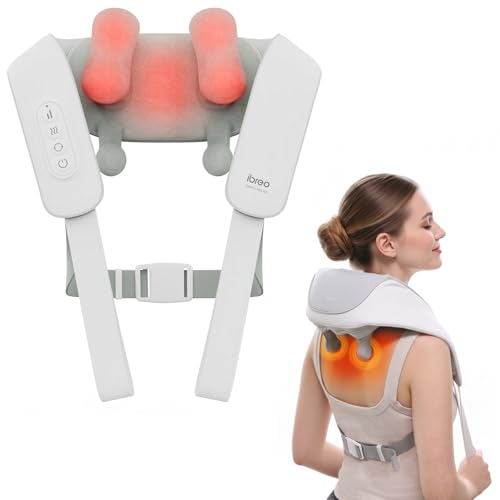
A cordless Shiatsu neck and back massager with heat that delivers deep-tissue relief in just 10 minutes, featuring multiple modes, adjustable intensity, and smart memory for easy, relaxing pain relief anytime.
A supportive chair won’t fix everything on its own, but combined with occasional muscle relief, it significantly reduces pressure on your spine — making it easier to sit comfortably, stay focused, and avoid long-term desk-based back pain.
Think of it as investing in your health, not just your workspace.
Maintain a Neutral Working Position

A neutral posture helps reduce strain on your spine, neck, and shoulders while you work — and small adjustments can make a big difference.
Use this quick checklist:
Position your monitor at eye level so your head stays upright, not tilted forward or down
Sit with your shoulders relaxed and gently pulled back, not hunched;
Keep your back fully supported by the chair, maintaining its natural curve;
Place both feet flat on the floor — avoid crossing legs or ankles, which can affect posture;
Keep your elbows close to your body and wrists in a straight, neutral position;
If your chair doesn’t provide enough lower back support, add a lumbar cushion or rolled towel to support your spine’s natural curve.
This simple addition can significantly reduce lower back fatigue during long work sessions.
The goal isn’t perfect posture all day — it’s creating a setup that supports your body and makes good posture easier to maintain naturally.
Get Up
One of the big issues with sitting all day is the lack of movement.
To avoid stiffness, take some movement breaks. Every half an hour or so, get up and move.
If you work in an office, you could go and make a cup of coffee, go and speak to a colleague instead of emailing them or take a bathroom break.
A brisk walk helps too, even if it’s only around the room. If you work at home, get up and do some stretches to loosen yourself up.
If you find it hard to take breaks, set a timer to remind you to get up and move around.
If your pain is bad, see a Chiropractor who will be able to treat your pain, and advise you on preventative stretches to do during your movement breaks.
How to Avoid Desk-Based Back Pain: Set Up Your Desk Properly
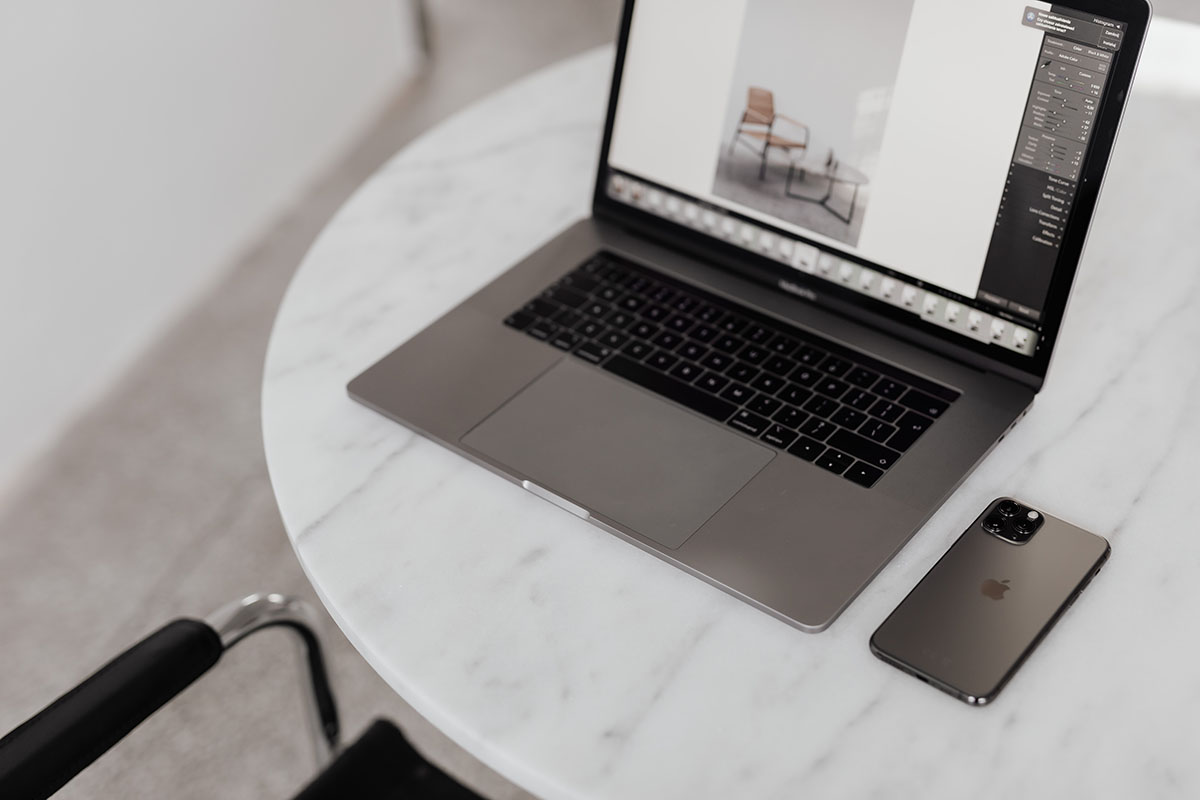
The way your desk is set up plays a huge role in how your body feels at the end of the day.
A poor setup can force your body into awkward positions without you even noticing.
Start by keeping the items you use most — keyboard, mouse, phone, notebook — within easy arm’s reach.
This prevents constant stretching and twisting, which can strain your shoulders and lower back over time.
Make sure there’s enough clear space under your desk for your legs and feet.
If your knees or feet are cramped, your body naturally shifts into uncomfortable angles that affect posture.
Training your body to sit well takes time, so don’t rely on willpower alone.
Ergonomic supports can make good posture easier to maintain:
Use a footstool if your feet don’t rest flat on the floor;
Raise your monitor to eye level using a stand or adjustable arm;
Choose a chair that supports your lower back properly.
If possible, consider a sit-stand desk.
Alternating between sitting and standing throughout the day reduces prolonged pressure on the spine and helps ease back and neck tension.
Even standing for short periods can make a noticeable difference.
The goal isn’t to sit or stand perfectly all day — it’s to keep your body moving and supported.
By setting up your desk thoughtfully, you can improve posture, reduce strain, and help your muscles stay relaxed and pain-free throughout the workday.